Bing Images Explained: Reverse Search & Filters
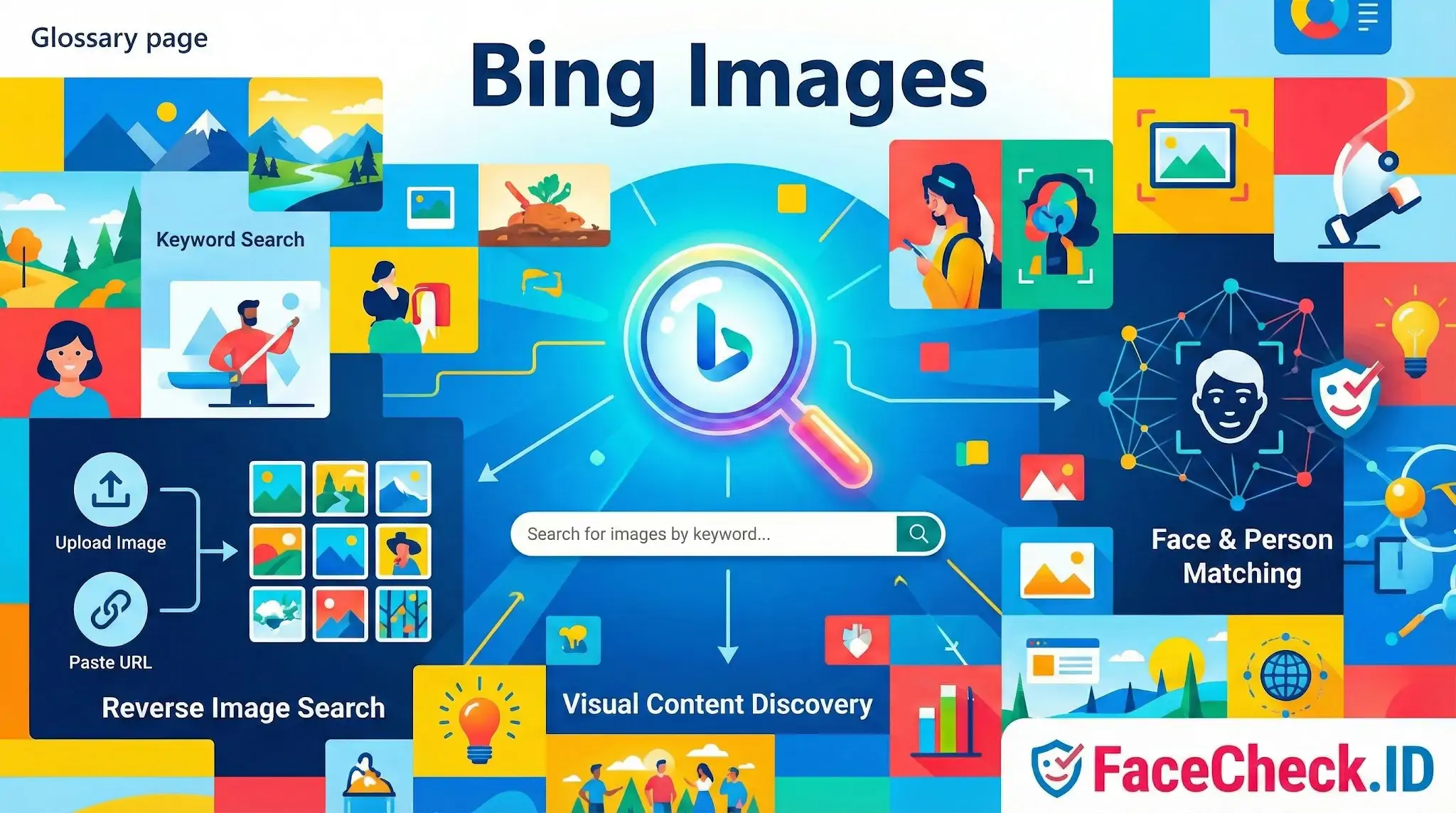
Bing Images is Microsoft’s image search tool inside the Bing search engine. It helps you find photos, graphics, illustrations, and other visual content published across the web.
What Bing Images does
- Search for images by keyword and browse results in a clean grid layout
- Open an image preview to see a larger version plus details like the source website and related images
- Filter results to narrow down what you need, such as size, color, type, layout, and usage rights
Reverse image search in Bing
Bing Images includes reverse image search, which lets you:
- Upload an image from your device, or
- Paste an image URL
Bing then searches for similar images and pages where that image, or a close match, appears. This is useful for finding the original source, checking where an image is used online, or locating higher resolution versions.
Face and person matching
Bing Images can also surface results that appear to match people in photos, depending on the query and what content is available online. Results may vary based on region, settings, and Microsoft’s current features and policies.
Why Bing Images matters
Bing Images is commonly used for:
- Research and content creation
- Product discovery and shopping inspiration
- Finding image sources and verifying where visuals appear online
- SEO and traffic growth through image visibility on Bing
FAQ
What is Bing Images and how is it used for finding photos of a person online?
Bing Images is Microsoft’s image search service. People often use it to look up a person’s photo by uploading an image or pasting an image URL in Bing Visual Search, which can surface exact duplicates, near-duplicates, and visually similar images across indexed web pages.
Does Bing Images provide true face recognition search (finding the same person across different photos)?
Not in the same way as dedicated face recognition search engines. Bing Images/Visual Search is primarily designed for visual similarity and duplicate detection of images and objects; it may find the same photo reposted or slightly edited, but it is generally less reliable for matching the same person across different angles, ages, lighting, or different photos.
How do I run a reverse image search with Bing Images for a face photo?
Use Bing Visual Search: go to Bing Images, select the camera/visual search option, then upload the photo, drag-and-drop it, or paste an image URL. For better results, use a clear face image, avoid heavy filters, and consider uploading a tighter crop that centers the face (while keeping enough context to avoid mismatches).
Why might Bing Images show “similar people” who aren’t the same person?
Bing’s results can include visually similar faces due to shared attributes (pose, hair, lighting, makeup, camera angle) and because it may emphasize overall image similarity rather than confirming identity. This can lead to look-alike results, especially when the source photo is low-resolution, heavily edited, or partially obscured.
When should I use a dedicated face search tool like FaceCheck.ID instead of Bing Images?
Use a dedicated tool (e.g., FaceCheck.ID) when you need face-focused matching across different photos of the same person (not just reposts of the same image). Bing Images is often a good first pass for finding copies of a photo; a face recognition search engine can be more effective for locating the same person in other images—but results should still be treated as leads, not proof of identity.


Recommended Posts Related to bing images
-
Top 7 Reverse Image Search Engines for Face Search Compared
Google Images and Bing Images are the most popular and well-known options, allowing you to search either by keyword or by image. Bing Images. Just go to Bing Images and click on the camera icon in the search bar.
-
How to Find Pictures of Yourself on the Internet
Google Image Search and Bing Image Search are powerful tools when it comes to unearthing your personal images.
-
Top 5 Reverse Image Search APIs for Your Projects
bing-image-search-api'>Bing Image Search API. Bing Image Search API. Bing Image Search API for objects and landmarks.
-
The 4 Simple Steps To Find Someone Using Face Search Engine
Bing image search does not work at all for faces!
-
How to Find Someone with a Photo?
Bing Images. Like Google, Microsoft Bing also has a side service called Bing Images for visual search. Here's how you can find someone using a picture with Bing Images:.
-
How-To Guide for Effective Face Lookup
Bing Images: Similar to Google Images, Bing Images is another popular search engine that supports reverse image search.
-
LinkedIn Reverse Image Search to Find LinkedIn Profiles by Photo Using Facial Recognition
The most popular method is to use a search engine like Google Images or Bing Images.
-
Search by Face to Find Social Media Profiles
You can try Google Images or Bing Images and search for the person's name or other identifying information.
-
How to Find Images on the Web
WARNING: Bing image search does not work for faces.
-
How to Spot a Catfish Online in Under 60 Seconds with FaceCheck.ID
Google/Bing Images.